
How to share a password with family on iPhone without sending it in a chat
Published November 3, 2026
To share a password with a family member on iPhone without sending it in a chat, use a shared password group in Apple's Passwords feature, or tell them in person or on a call. A password typed into a message stays in the chat history of both phones, and often in backups.
Shared logins are normal in a household: the streaming account, the energy provider, the school portal, the router. This guide covers the built-in way to share a password on iPhone, what to do when the other person is not on Apple devices, how to take access back, and where a private vault such as Lockboxy fits. Menu names change between iOS versions, so check your own screen if a label differs.
Why is sending a password in a chat a bad idea?
- The message stays in the chat on both phones until someone deletes it, and usually travels into chat backups too.
- Anyone who borrows an unlocked phone can search the chat for the word "password".
- Copying it from the chat puts it on the clipboard. Anything you copy can be read by other apps and, with Universal Clipboard, other devices.
- You lose track of who has it. A password in five chats is five places to forget about.
How do I share a password with Apple's shared password groups?
On iOS 17 and later, Apple's password manager can share passwords and passkeys with people you choose, as a shared group. The group lives in the Passwords section of Settings on iOS 17, and in the Passwords app on iOS 18 and later.
- 1Open Passwords (Settings > Passwords on iOS 17) and unlock it with Face ID, Touch ID or your passcode.
- 2Tap the New Shared Group button, usually shown as a folder with a plus sign, and give the group a name, for example "Household".
- 3Add the people from your contacts. They need a recent enough software version, which Apple lists as iOS 17, iPadOS 17 or macOS 14 or later, and they must accept the invitation.
- 4Choose which passwords to put in the group. Each password sits in one group at a time.
What to know first: only the person who created the group can add or remove members, any member can leave at any time, and members can usually add and change passwords in the group, so keep it to people you trust. Apple's own guidance says to decline an invitation from anyone you do not know.
What if the other person doesn't have an iPhone?
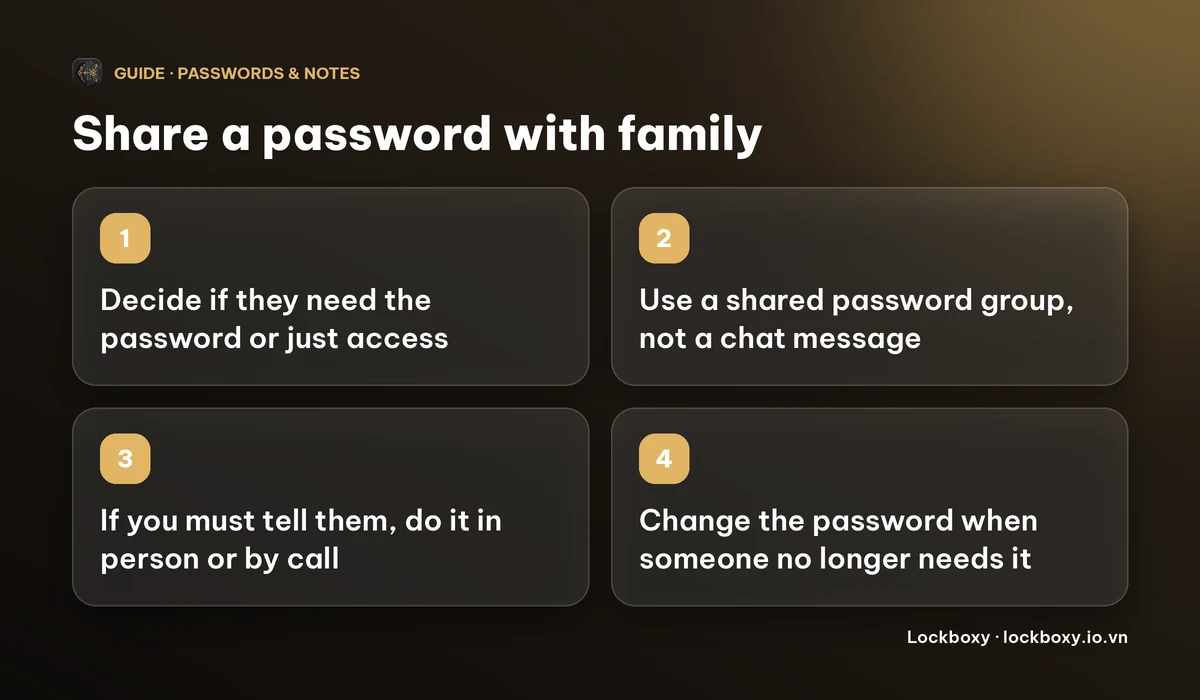
Shared groups work between Apple devices that meet the version requirement. If your partner or parent uses Android or a Windows PC, the safest low-tech route is to say the password aloud, in person or on a call, and let them save it in their own password manager.
If they are next to you, AirDrop is better than a chat because nothing stays in a conversation. If you have to write it, send it once, ask them to save it and delete the message, and delete it on your side too.
For streaming and similar accounts, check whether the service has a built-in way to add household members or profiles. Giving someone their own profile or login is safer than handing over yours, because you can remove them without changing the password for everyone.
How do I take access back?
- Remove the person from the group: on iOS 17 go to Settings > Passwords, open the shared group, select it and remove the member; on iOS 18 and later open the group in the Passwords app and use its Info button. Only the group's creator can do this.
- Change the passwords afterwards. Apple's guidance notes that someone you remove may still have access to the accounts and passwords they saw while they were in the group, so removal alone is not enough.
- If you shared by chat, delete the message. Then change the password anyway, because deleting your copy does not delete theirs.
- Turn on two-factor authentication on the account where you can, so a leaked password is not enough by itself.
Can a private vault app hold a shared login?
Yes, as a place for you to keep it, not as a way to share it. Lockboxy is a private, encrypted vault app for iPhone. Its Wallet keeps passwords as encrypted entries behind a passcode of their own, with no account and no server holding a copy. It does not have a feature for sharing entries with another person, so do not pick it for that part of the job.
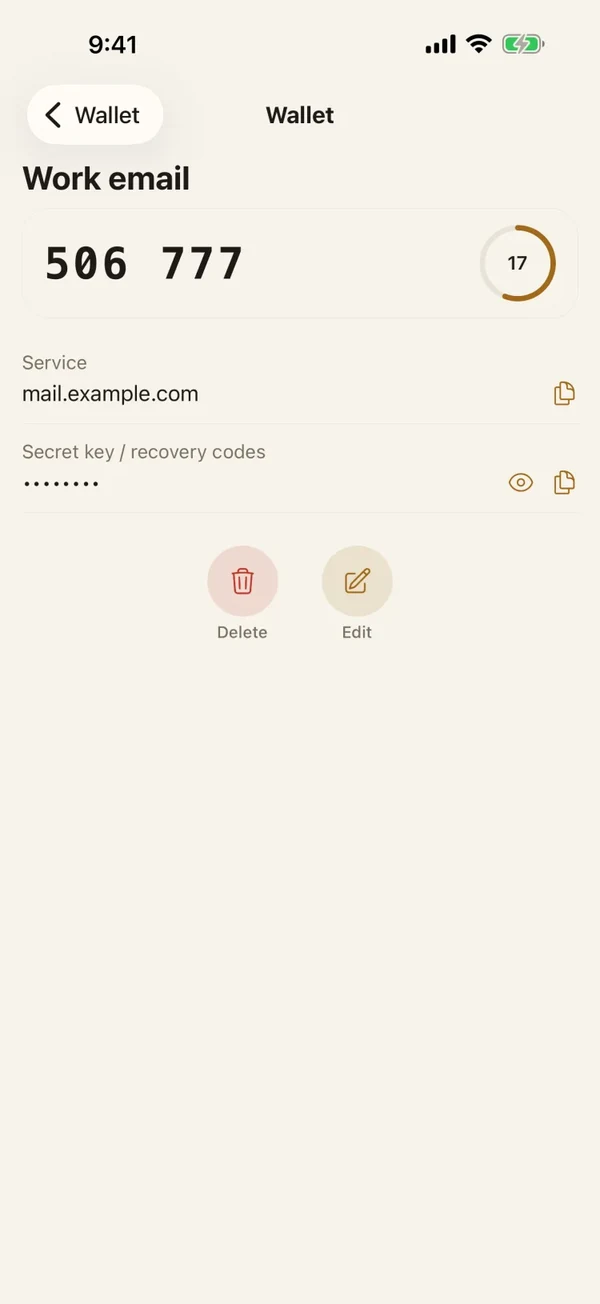
- 1Open Lockboxy with its passcode and go to the Wallet tab.
- 2Tap Add entry and choose Account & password.
- 3Fill in the service name, the username or email and the password. The password is masked by default, and Notes is optional, so you can write which family members use the login.
- 4Save. Tap Show when you need to read it, or Copy to paste it. Lockboxy clears a copied value from the clipboard about 30 seconds later.
It suits the logins you share by saying them aloud, such as the router admin or a shared card on a streaming service, because you can look them up without searching old chats. See how to store passwords safely on your phone for choosing a master passcode and a backup.
What are the limits?
- Sharing a password is only as safe as the people who have it. If you would not trust someone with the account, do not share it.
- A vault passcode that is forgotten cannot be reset by anyone, including us. Premium lets you create a Recovery Key in advance, so create one and keep it somewhere safe.
- Wallet entries are unlimited on the free plan. What Premium adds is on the Premium page, and the app shows the exact price before you buy.
- Do not share bank or card logins this way. Banks usually forbid sharing them in their terms, and many offer joint accounts or authorised users instead.
More answers are in the Lockboxy FAQ. For a Wi-Fi password in particular, see how to find and share a saved Wi-Fi password.
Frequently asked questions
What is the safest way to share a password with family on iPhone?
Use a shared password group in Apple's Passwords feature if everyone has a recent Apple device, or say the password in person or on a call. Avoid typing it into a chat or a note.
Can I share a password with someone who has an Android phone?
Shared password groups need Apple devices that meet the version requirement. For an Android user, tell them aloud, in person or on a call, and let them save it in their own password manager.
How do I stop sharing a password I shared in a group?
The group's creator can remove a member in the group's settings. Then change the password, because Apple notes the person may still have access to what they saw while they were in the group.
Is it safe to send a password in WhatsApp or iMessage?
It is convenient but leaves the password in the chat history of both phones and often in backups. If you must, send it once, ask the person to save and delete it, and delete it yourself.
Can Lockboxy share a password with another person?
No. Lockboxy's Wallet stores passwords encrypted on your own device for you. It has no feature for sharing a Wallet entry with someone else.
Want a private place with its own passcode?
Lockboxy encrypts photos, videos, files and notes on your device, behind a passcode separate from your phone's. No account, no server.
Get Lockboxy on the App StoreMore guides
- How to store passwords safely on your phone
- How to find and share a saved Wi-Fi password on iPhone
- You copied a password on iPhone: who can see your clipboard, and how to stop apps pasting from it
- Where to store PIN codes and door codes on iPhone
- How to hide photos on iPhone (and what “hidden” really protects)
- How to lock apps on iPhone: Face ID lock, hiding apps and older-iOS workarounds
- How to store photos of your ID safely on your phone
- How to permanently delete photos on iPhone (and every copy you forgot)
- How to lock notes on iPhone with a password or Face ID
- How to lend your iPhone without exposing your photos
- How to store a seed phrase safely (and what not to do)
- What to do before sending your iPhone for repair
- How to take photos that don't save to your iPhone camera roll
- How to scan documents on iPhone (no app needed) and store them safely
- How to store 2FA backup codes safely (and where not to)
- How to handle sensitive screenshots on iPhone (bank transfers, OTPs, IDs)
- How to keep voice recordings private on iPhone
- How to stop iPhone photos syncing to your iPad and Mac
- What to do when your iPhone is lost or stolen
- How to erase your iPhone before selling it
- Lockboxy vs the iPhone Hidden album: which should you use?
- Lockboxy vs locked notes on iPhone: which is better for private notes?
- Phone privacy for livestream sellers: keep customer data off the stream
- Keeping client documents private: a phone routine for real-estate agents
- How to hide contacts on iPhone: what really works
- How to tell if someone went through your iPhone
- How to move private photos to a new iPhone
- How to password protect a folder on iPhone
- How to remove location data from photos on iPhone before sharing
- How to store bank card details safely on your phone
- How to stop unwanted photos from showing up in Memories and Featured Photos on iPhone
- How to control which photos an app can access on iPhone
- How to find the Hidden album on iPhone (and why it may be missing)
- How to show someone a photo on your iPhone without them swiping to the others
- How to stop WhatsApp saving photos to your iPhone camera roll
- How to stop photos from Messages showing up in your iPhone Photos app
- How to password protect a video on iPhone
- How to password protect a PDF on iPhone
- What does Private Browsing on iPhone actually hide?
- Where do downloads go on iPhone? How to find, move and delete them
- How to hide private content in the iPhone App Switcher
- How to back up your iPhone photos without iCloud
- How to stop photos from showing up in iPhone Spotlight search
- What can someone do with your locked iPhone? How to limit Lock Screen access
- Why is there a green or orange dot on my iPhone? How to see which app is using your camera or microphone
- How to keep a private journal on iPhone
- How to stop unwanted AirDrops on iPhone
- How to keep medical documents and insurance cards private on iPhone
- How to change or remove the camera button on the iPhone Lock Screen
- Forgot the passcode of your private photo vault app? What you can and can't recover
- What happens to your iPhone photos and private data when you die? How to set up a Legacy Contact
- What is Stolen Device Protection on iPhone, and should you turn it on?
- Where to store your Apple Account recovery key (and what if you lose it)
- How to see saved passwords on iPhone (and what to do when one is missing)
Questions about how Lockboxy works? Read the FAQ